


FNF Zoom Playable 8.5 V-Slice
Where can I play FNF Zoom Playable online?
Click Play Now above, wait for the asset loader, click Tap to Play and press Enter at the title screen. Open Freeplay for Murder Dance (Zoom BF), or press Tab, select the red-haired Zoom icon with the direction keys and confirm to open Zoom's songs. Choose a track and difficulty before pressing Enter. You can play here without installing the desktop mod.
If the embedded player stays blank, you can open FNF Zoom Playable 8.5 V-Slice directly in a new tab (opens in a new tab). The link opens the game; this page provides the controls and guide.
About FNF Zoom Playable 8.5 V-Slice
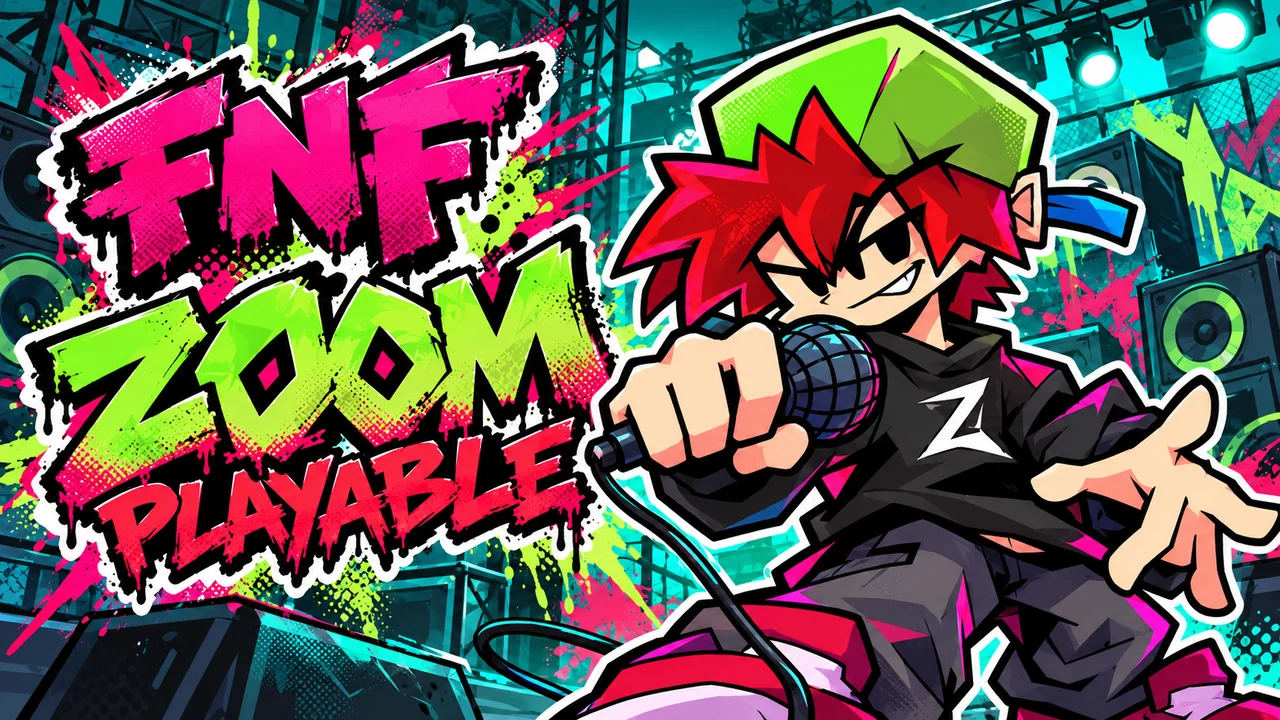
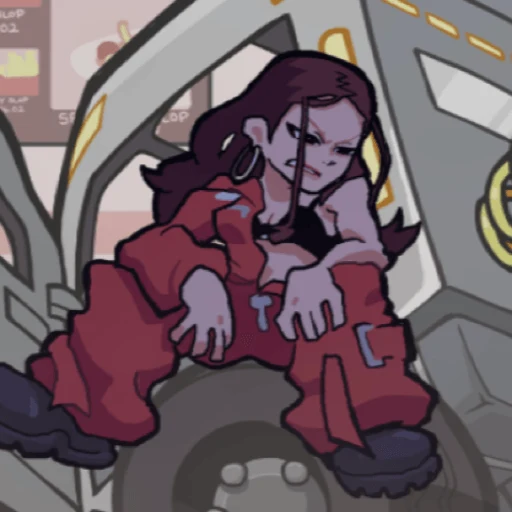
FNF Zoom Playable 8.5 V-Slice is a Friday Night Funkin cover mod featuring the red-haired, green-capped Zoom, Susie and Boyfriend. Select Zoom from Freeplay's character screen to sing against Susie, Steven and other opponents across beach, street and Teletubby-themed stages. The default Freeplay selection also includes Murder Dance (Zoom BF), where you control Boyfriend against Zoom, and Splendid (Kapi Susie), where Susie faces Kapi. Follow your singer's note targets, hold sustained notes and keep time through each cover to finish the song.
Zoom Playable creator video
Watch Ronsldo27fnf's Zoom Playable demo preview on TikTok. The video showcases the source mod; the browser build may differ.
Zoom Playable demo preview by Ronsldo27fnf
Our Zoom Playable web adaptation
The FNF Mod Online team created this fan-made web adaptation based on the official Zoom Playable demo. We optimized loading speed and the browser play experience to make the mod easier to jump into. The original mod, characters, artwork and music remain credited to their creators.
The first visit downloads game assets, so loading time depends on your connection and device. Let the game's own loader finish, then click Tap to Play. This browser build opens its songs through Freeplay; Story Mode is not available in its main menu. Click inside the player before using the keyboard.
Demo 8.5 V-SLICE is the name of the official source release. The linked browser build displays FNF v0.8.7 and Zoom Mix v1.0.4; these labels identify different parts of the game rather than a single version number. Use the official GameBanana page below for the separate PC and mobile downloads, installation instructions and full credits.
Why FNF Zoom Playable 8.5 V-Slice Feels Different From Other FNF Games
Your character choice changes the song list and the singer you control:
- Choose Zoom through Freeplay's Tab character screen for his cover selection, including Susie, Gem Jam and Pinkwave Zoom. Returning to the Boyfriend selection reveals a different set of songs.
- Murder Dance (Zoom BF) reverses the role you might expect from the mod's name: Boyfriend is the player and Zoom is the opponent. Splendid (Kapi Susie) instead uses Susie as its playable singer.
- The covers move between different settings: Gem Jam uses a beach, GYAT! Damn! a street, and Pinkwave Zoom and eh-ouuh a Teletubby-themed stage.
- Normal and Hard are the chart difficulties listed by the song data. The similarly named ¿Fin Zoom? and ¿Finn Zoom? are separate Normal and Hard entries at 195 BPM, so changing difficulty can change which title appears.
- Susie begins at 168 BPM and slows near the ending, while Murder Dance runs at 165 BPM. Listen to each arrangement rather than treating every song as the same fixed rhythm.
Songs in FNF Zoom Playable 8.5 V-Slice
Susie
Select Zoom to face Susie on Normal or Hard. The chart begins at 168 BPM and slows through its ending; keep listening instead of carrying the opening pace into the final notes.
Gem Jam
Zoom meets Steven on a beach with Susie nearby. This 120 BPM cover offers Normal and Hard charts. Try Normal while settling into Zoom's song selection, then compare the harder chart.
GYAT! Damn!
Play as Zoom against the Girlfriend character on the street stage. Normal and Hard are listed at 103 BPM; the slower tempo still calls for accurate direction changes rather than extra presses.
Pinkwave Zoom
This 125 BPM cover places Zoom opposite the Boyfriend-styled Tinky character in the Teletubby setting. Choose Normal or Hard and follow Zoom's side of the chart through the changing phrases.
eh-ouuh
Zoom faces Tinky at 95 BPM, with Susie as the companion character. Normal and Hard are available. Use the slower pulse to space out your inputs, while remembering that BPM alone does not determine a chart's difficulty.
¿Fin Zoom? / ¿Finn Zoom?
Both versions put Zoom against Kapi at 195 BPM. The source data names the Normal entry ¿Fin Zoom? and the Hard entry ¿Finn Zoom?, with two n letters in Finn. Check the difficulty selector if one title is missing; these are two chart entries for the encounter, not a story ending you must unlock.
Splendid (Kapi Susie)
Look in the default Boyfriend Freeplay selection for this 170 BPM cover on Normal or Hard. Its song data assigns Susie as the playable singer against Kapi, so the menu's selected character does not mean Boyfriend performs every song in that list.
Murder Dance (Zoom BF)
The five-step guide below follows this 165 BPM song on Normal, with Hard also available. You control Boyfriend on the right while Zoom sings on the left, against the red-haired cat backdrop. Read the right-side note targets rather than copying Zoom's opponent notes.
How To Play FNF Zoom Playable 8.5 V-Slice?
Follow these five screens to reach the Zoom encounter: Tap to Play → title screen → Freeplay → Murder Dance (Zoom BF) and difficulty → gameplay. Choose the difficulty before starting; NORM in the screenshot is an example.
1. Click Tap to Play
Click Play Now above and wait for the game's own asset loader to finish. When Zoom's portrait appears on a black background, click the green Tap to Play prompt near the bottom to start the game.
2. Press Enter at the title screen
The title screen shows Zoom's character-selection artwork and a cat with red hair and a green cap. Press Enter when Press Enter to Begin appears along the bottom to open the main menu.
3. Choose Freeplay
In the yellow main menu, use Up or Down to highlight Freeplay and press Enter. Freeplay opens the song list; Merch, Options and Credits are separate menu entries.
4. Select Murder Dance (Zoom BF) and set the difficulty
Stay in the default Boyfriend Freeplay selection and use Up or Down to highlight Murder Dance (Zoom BF), the entry with Zoom's red-haired, green-cap opponent icon. Use Left or Right to choose Normal or Hard before pressing Enter. NORM in the screenshot is an example. To sing as Zoom in his other covers, use the separate Tab character-selection route described below.
5. Follow the note targets in the Zoom encounter
The song shows Zoom on the left and Boyfriend on the right, with the red-haired cat artwork behind them. Click inside the player so it receives keyboard input. Follow the player-side targets on the right: press the matching arrow keys as the scrolling notes reach them, and hold a key through sustained notes. Keep watching the targets when the character animations draw your attention.
- To play as Zoom instead of facing him, press Tab in Freeplay, use the direction keys to select Zoom's red-haired, green-cap icon, and press Enter. Select a song from the resulting list. Switch back to Boyfriend's selection for Murder Dance and Splendid.
- Use the arrow keys or WASD for notes with the default keyboard bindings. A maps to Left, S to Down, W to Up and D to Right. Saved custom bindings can override these defaults; check Options if your keys behave differently.
- Press Enter or Esc during a song to pause. Use Resume to continue, Restart Song for a fresh attempt, Change Difficulty to choose another available chart, or Exit to Menu to return to song selection.
- For practice, open the pause menu and choose Enable Practice Mode, then Resume. Practice prevents a Game Over from an empty health bar, letting you work through missed phrases. Restart the song when you want to rehearse its opening again.
Play as Zoom: character selection, songs and practice
Use these extra screens for the playable-Zoom route. The five steps above show the separate Murder Dance route where Boyfriend faces Zoom.
Who Will Enjoy FNF Zoom Playable 8.5 V-Slice?
- Zoom fans who want to sing as him in Susie and Pinkwave Zoom, or face him as Boyfriend in Murder Dance.
- Players who enjoy covers featuring Susie, Steven, Kapi and the Teletubby-themed opponents.
- Keyboard rhythm players who want separate Normal and Hard charts to replay in Freeplay.
- Players coming from FNF: Hyp Mix who want another character-focused variation on FNF's four-lane timing.
- If you want to learn a cover without the run ending on missed notes, enable Practice Mode and work through its phrases.
Can You Keep Zoom on Beat?
The challenge changes with the cover. Susie slows near its ending, while the 195 BPM Fin and Finn charts demand a much quicker pulse. The cat backdrop in Murder Dance can also draw your eyes away from Boyfriend's targets.
Begin with an available Normal chart and learn the phrases before switching to Hard. Pause for Enable Practice Mode when you need more time with a pattern, or use Restart Song to rehearse the opening. Keep listening when the tempo changes.
Open Freeplay above and choose your role: select Zoom for his covers, or stay with the default selection to face him in Murder Dance.
Zoom Playable credits and web adaptation
| Official mod | Zoom Playable DEMO 8.5 V-SLICE (opens in a new tab) |
|---|---|
| Browser build | FNF v0.8.7 · Zoom Mix v1.0.4 · Freeplay song selection |
| Zoom songs | Susie Gem Jam GYAT! Damn! Pinkwave Zoom eh-ouuh ¿Fin Zoom? (Normal) / ¿Finn Zoom? (Hard) |
| Default Freeplay songs | Splendid (Kapi Susie) — play as Susie Murder Dance (Zoom BF) — play as Boyfriend |
| Creator video | Watch Ronsldo27fnf's Zoom Playable preview on TikTok (opens in a new tab) |
| Release | Demo 8.5; browser content may differ from the downloadable mod |
| Web adaptation | FNF Mod Online team — fan-made web adaptation, loading speed and browser play optimizations |
| Creator | Contribution |
|---|---|
| Ronsldo27fnf (opens in a new tab) | Creator / port, as credited on the official release |
| iHasa (opens in a new tab) | Akage song |
| owoskitty (opens in a new tab) | Akage song mod |
| GammamonNiro (opens in a new tab) | Nocturnal Protocol song |
| FunniUp (opens in a new tab) | FNF x Steven Universe song mod |
| MOTORFROG | Pinkwave song |
| Clowfoe (opens in a new tab) | Pinkwave mod creator |
| BBBean (opens in a new tab) | Gyat Damn song |
| Andy914 (opens in a new tab) | Splendid Erect for Streaming Night Funkin |
| nievesowu (opens in a new tab) | Splendid Erect |
| CosmicFroggo (opens in a new tab) | Murder Dance song / KeroKero Underground |
Song and mod credits follow the official GameBanana release; they do not guarantee that every credited song is included in this browser build. The icon and banner are AI-generated promotional illustrations, not gameplay screenshots.
FNF Zoom Playable 8.5 V-Slice FAQ
Where can I play FNF Zoom Playable for free?
Play the browser adaptation here on FNF Mod Online. Click Play Now, wait for the loader and use Tap to Play. Press Enter at the title screen and choose Freeplay. The direct game link below opens the same build in a separate tab.
Can I play without downloading or installing V-Slice?
Yes. This web build already includes the Zoom content, so you do not need to download a mod archive or install a desktop game. Your browser still downloads the assets needed to display and play the songs. A keyboard is recommended.
How do I play as Zoom instead of Boyfriend?
Open Freeplay and press Tab to enter character selection. Use the direction keys to highlight Zoom's red-haired, green-cap icon above Boyfriend, then press Enter. The returned song list includes Susie, Gem Jam, GYAT! Damn!, Pinkwave Zoom and eh-ouuh. Select a song and an available Normal or Hard chart, then confirm. This is separate from choosing Murder Dance in Boyfriend's list.
Who do I control in Murder Dance and Splendid?
In Murder Dance (Zoom BF), you control Boyfriend on the right and Zoom is the opponent on the left. In Splendid (Kapi Susie), the song assigns Susie as the player against Kapi. Both entries appear under the default Boyfriend Freeplay selection, but the song's own character setup determines who performs the player notes.
Why can't I see all the songs in Freeplay?
The list depends on your selected character and difficulty. Press Tab to switch between the default Boyfriend selection and Zoom's selection. Use Left or Right to change difficulty. Most entries have Normal and Hard, while ¿Fin Zoom? is the Normal entry and ¿Finn Zoom? is its separately named Hard entry. Do not mistake a filtered list for an incomplete download.
Is there a Story Mode week or can I play one song at a time?
This browser profile uses Freeplay and hides Story Mode from the main menu. Pick a named song to play it directly rather than following a story week. You can return to the menu and replay the same chart or choose another cover.
Which keyboard controls should I use?
Click inside the player to give it keyboard focus. Default note controls are the arrow keys or WASD: A for Left, S for Down, W for Up and D for Right. In Freeplay, use Up and Down to select songs, Left and Right for difficulty, Enter to confirm and Tab for character selection. During gameplay, Enter or Esc opens the pause menu. Saved custom bindings may differ; check Options if needed.
How do I practise or restart a difficult song?
Press Enter or Esc during gameplay, choose Enable Practice Mode and then Resume. Practice lets you keep going when health runs out, so you can rehearse later phrases without a Game Over. Restart Song begins another attempt at the current song; Change Difficulty lets you choose another available chart. Use Exit to Menu when you want to change songs or characters.
What should I do if the game is blank or my keys do not respond?
Wait for the initial asset loader and click Tap to Play. A newly selected song may also need time to load its own assets. If the game remains blank, use Reload in the player toolbar or open the direct game link in the online play section. If the picture is visible but your keys scroll the webpage, click inside the game and try again. Use the in-game Restart Song option for another attempt once the game is running.
Where can I download the original Zoom Playable mod?
Visit Ronsldo27fnf's GameBanana release, open Files and choose the PC or mobile package that fits your installation. Follow the author's V-Slice setup instructions for that separate mod. The browser player here needs no desktop installation, and its content and version labels can differ from the downloadable release.
Get the original Zoom Playable mod on GameBanana (opens in a new tab)
Who made this Zoom Playable web version?
The FNF Mod Online team made this fan-made web adaptation based on the official demo and optimized loading speed and the browser play experience. Ronsldo27fnf is credited as creator / port on the original release; its music and other contributions belong to their respective creators.
Is Zoom Playable 8.5 a full release?
The official release is labeled DEMO 8.5 V-SLICE. It includes song covers, and its creator describes more songs and mechanics as future work. Those plans do not establish which features are available in this browser adaptation.
Visit the official Zoom Playable release (opens in a new tab)
Do I need to install V-Slice to play here?
No. Play Now opens the web adaptation directly in your browser. Installation instructions for the official V-Slice download apply to that separate build.
Can I play Zoom Playable on a phone?
A keyboard is recommended for this browser adaptation. The official page offers separate PC and mobile packages, but that does not confirm touch controls in the web build here.
More FNF Games
- FNF: Hyp Mix — Play FNF Hyp Mix online free. Join Hyp and Midy for eight remixed FNF songs, choose a Hard chart in Freeplay, and keep time through familiar stages.
- FNF: Feat. Bad Bunny PICO MIX — Play FNF Bad Bunny PICO MIX online free. Take Pico through three beach-party mixes, follow the changing stage and discover the bonus song in this web adaptation.
- FNF QT: Rewired — Play FNF QT Rewired online free. Try the CG5 FNF mod collaboration, sing GO GO GO with Ironmouse and QT, or face KB in our optimized browser adaptation.
- Friday Night Funkin — Play Friday Night Funkin online free. Match the arrow notes, face Boyfriend's opponents and learn the rhythm controls in the original FNF browser game.